BCBSM
- 4.5
- Rating
- 500.00K
- Installs
- Free
- Price

 Analysis by App-foxy
Managing health insurance is rarely something I want to do for fun, but it becomes much less frustrating when I can handle basic tasks from my phone. That is the role BCBSM fills for Michigan Blue Cross members: it brings account access and doctor-search tools into a single medical app instead of making me rely on a browser, a phone call, or a paper card. After spending time with it, I see it as a practical member portal rather than a complete healthcare companion, and that distinction matters.
The app is free, aimed at everyone, and developed by Blue Cross and Blue Shield of Michigan. Its store presence shows a 4.5 average from around 10 thousand ratings, with more than 500 thousand installs. Those figures suggest that it has become a familiar tool for many members, but popularity does not automatically make an insurance app convenient in every situation. Its value depends heavily on whether you are a Michigan Blue Cross member and what you need to do.
How BCBSM fits into everyday healthcare
The most useful way to think about BCBSM is as a mobile front door to your insurance account. I would open it when I need to check account information, look for a doctor, or avoid searching through old documents for basic plan details. That focus keeps the experience more understandable than apps that try to combine insurance, appointments, wellness coaching, pharmacy services, and general medical education into one crowded dashboard.
You May Also Like

 Blood Strike: 2.5 Anniversary
Blood Strike’s Loadouts Turn Every Drop Into a Tactical Gamble
A close look at Blood Strike’s custom loadouts: how fast access to signature weapons reshapes its battle royale rhythm, rewards preparation, and narrows the gap between fights.

 Pandora - Music & Podcasts
Pandora’s Music Is Easy to Start, but Harder to Recover
Pandora’s strength is its low-effort path from a seed to a station. Its weak spot is how much confidence it asks you to place in connection, setup, and quiet recovery.

 8 Ball Pool
 Is Built on Rivalries, Rematches, and Routine
A close look at the rivalries, rematches, shared routines, and unanswered safety questions that turn a quick pool match into a persistent mobile community.

 Samsung Music
’s Quiet Strength Is Playing What You Already Own
Its reach comes less from spectacle than from dependable access to a personal library. That simplicity is both the app’s strongest retention engine and its ceiling.

 AccuWeather: Weather Radar
AccuWeather Review: A Quick, Clear Forecast for Everyday Decisions
For everyday plans, the best forecast is the one you can understand quickly. AccuWeather makes rain timing, radar, and local conditions easy to act on, with a few trade-offs.

 Hill Climb Racing
Why Hill Climb Racing Still Turns Crashes Into One More Run
A tiny car, a bumpy hill and one more upgrade: Hill Climb Racing keeps resurfacing because its simple chaos makes every near-miss feel personal.
More From Our News Desk



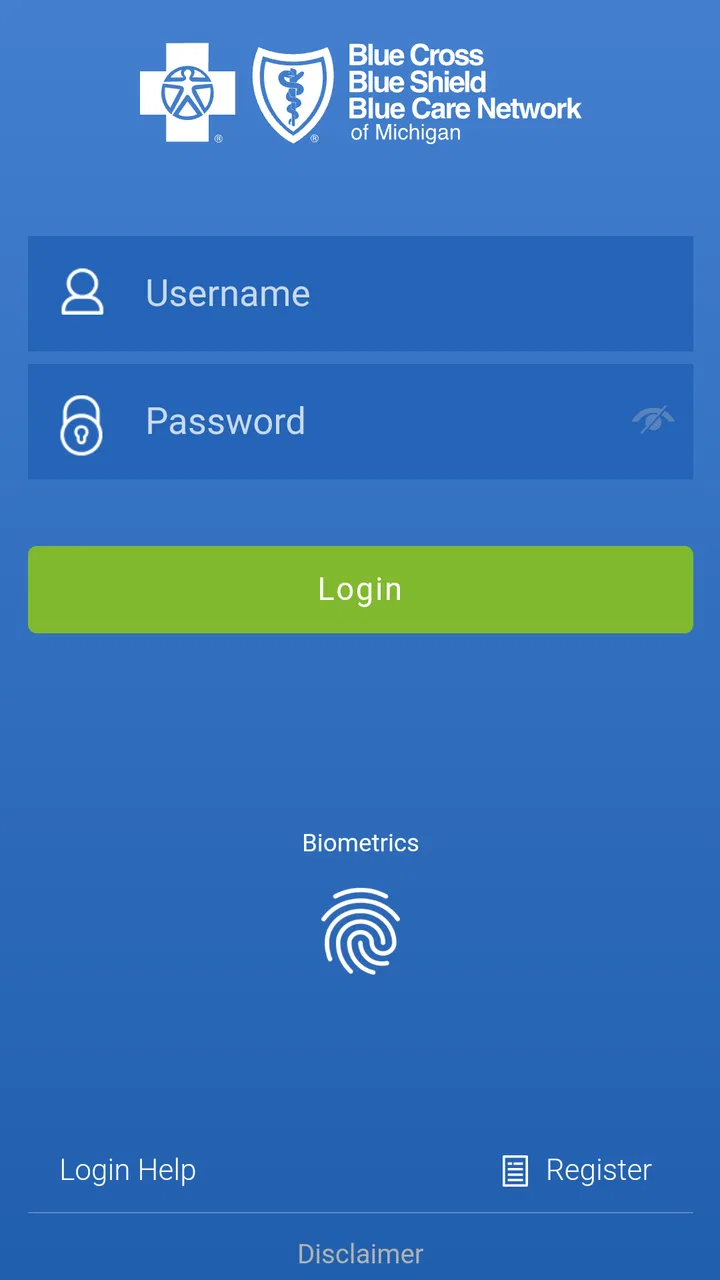
For a new member, the first practical step is logging in and checking whether the account information shown in the app matches the coverage details they expect. I recommend doing this before an appointment rather than in the waiting room. It gives you time to notice an incorrect profile detail, confirm that you are using the right member account, and prepare any questions for Blue Cross if something looks unfamiliar.
The doctor-finding function is another reason to keep the app installed. Searching for nearby care on a phone is especially useful when you have moved, changed doctors, or need a specialist you have never used before. The important habit is to treat the search as a starting point, not the final word. Before booking, I would still contact the office and confirm that it accepts your specific plan and is taking new patients. Insurance networks and office availability can change, and a mobile search should not replace that final check.
A realistic example is a member who realizes on a Sunday evening that a referral or follow-up appointment is needed. Instead of waiting until the next business day to call the insurer for a basic provider search, the member can sign in, look through available doctor information, and make a shortlist. That does not solve every part of the appointment process, but it turns a vague task into something manageable before the office opens.
What the current experience does well
I like that BCBSM concentrates on information members are likely to need repeatedly. Account access and provider discovery are not flashy features, but they are the parts of insurance administration that can save time when they are easy to reach. The app is also more convenient than keeping a browser tab open, particularly for someone who checks coverage information while away from home.
Its medical category can make the app sound broader than it is. I would not install it expecting diagnosis, emergency guidance, symptom checking, or a replacement for a clinician. It is better understood as an insurance-management utility. That narrower purpose is a strength for users who want a direct route to their Blue Cross membership details, but it is a limitation for anyone looking for a full health-record or telemedicine platform.
The free price removes one obvious barrier, although it does not mean that medical services accessed through the account are free. The app gives you a way to view and manage insurance-related information; it does not change deductibles, copayments, network rules, or provider charges. I would keep that distinction in mind whenever the app helps me find a doctor. Convenience in the search process is not the same as confirmation of final cost.
What the version history tells existing members
The current version is 5.52.0, while the app was released on May 18, 2016. That long span tells me the product is an established service rather than a newly launched experiment. It has had time to remain relevant as a mobile account tool, and the current version gives existing members a clear point of reference when checking whether their installation is up to date.
Still, a version number by itself does not explain every change a member may notice. I would avoid assuming that a newer release automatically means a completely redesigned experience or a new set of insurance services. The safest interpretation is that the app is being maintained as an active member-facing product, while the actual usefulness of each update depends on the account functions Blue Cross makes available to your plan.
For someone who has used an older installation for years, updating is sensible because account apps can become unreliable when their underlying services evolve. An up-to-date app also gives you the best chance of seeing the current interface and accessing the functions intended for the present service. I would update before an important appointment or provider search rather than waiting until the app fails at an inconvenient moment.
New users should not judge the app only by the first screen. The more meaningful test is whether signing in leads to the account information and doctor search they actually need. Existing users, meanwhile, should compare the current experience with their usual routine: Can they reach their member details quickly? Is provider searching easier than using the mobile website? Does the app reduce the need to call for simple questions? Those are better measures than the version number alone.
Small workflows that make it more useful
One useful workflow is to prepare before calling a doctor’s office. I would search for several possible providers, note the names and locations, and then contact the offices with a focused question about network participation and appointments. This is more efficient than calling random practices and discovering one by one that they are not suitable. The app helps organize the first stage, while the office confirms the details that matter at the moment of booking.
A second workflow is to check account information before traveling within Michigan. If you know you may need care away from your usual neighborhood, reviewing the app in advance can help you identify potential doctors rather than searching under pressure. I would not wait until I feel unwell to learn how to sign in or find the provider tool. Medical administration is easier when the discovery step happens while everything is calm.
A third practical habit is separating identity and coverage questions from treatment questions. If I am trying to understand whether a doctor belongs to my network, BCBSM is relevant. If I am trying to decide whether a symptom needs urgent attention, it is not the right tool. Keeping those tasks separate prevents the app from being used beyond its purpose and reduces the risk of treating insurance information as medical advice.
I also recommend keeping a note of the exact provider name and office location after a successful search. A large medical group may have several sites, and the closest location is not always the one accepting appointments. The app can help narrow the choices, but the final details still belong in your appointment notes or calendar. That simple extra step prevents a second search later.
Where the usual alternatives may be better
The most obvious alternative is the mobile website. A browser can be preferable if you are using a shared device, have limited phone storage, or do not want another app on your home screen. It may also feel more natural for members who already manage all account services from a desktop. In that case, BCBSM offers convenience rather than a completely different way to handle insurance.
Calling customer service remains the better option when an account issue is complicated, a claim needs explanation, or the information on screen does not match what a representative has told you. A doctor search can point you toward a provider, but a person may be more useful for questions involving plan interpretation or a disputed detail. I would not spend a long time repeatedly refreshing the app when the problem clearly requires account-specific assistance.
A provider’s own website or scheduling system can also be better for the final appointment step. BCBSM helps with the insurance side of finding care, while the provider controls appointment times, office instructions, forms, and clinical communication. Using both tools together is more realistic than expecting the insurance app to handle the entire patient journey.
For people who want lab results, medication reminders, video visits, or a unified clinical record, this app may feel too limited. Those needs are often handled by a hospital system or a dedicated healthcare platform. I would choose BCBSM for membership and network tasks, not as the only health app on my phone.
Limitations that are easy to overlook
The first limitation is eligibility. The app’s usefulness is tied to Michigan Blue Cross membership, so it is not a general-purpose insurance finder or a medical reference for everyone. If you do not have the relevant member relationship, installing it will not provide much value. Even within a member household, each person should pay attention to which account is being accessed before relying on the displayed information.
The second limitation is that a provider directory is not a guarantee of a smooth appointment. A doctor may appear in a search and still have no availability, may work at multiple locations, or may handle different plans through different billing arrangements. I consider the app successful when it shortens the search, not when it eliminates the need for a phone call.
There is also a practical dependence on sign-in access. If you have forgotten your credentials or are trying to use the app during a stressful moment, the convenience advantage can disappear quickly. I would set up access and make sure I understand the recovery process before an urgent administrative need arises. Keeping essential member information available through an approved backup method is sensible, especially when traveling.
Privacy deserves ordinary caution rather than alarm. This is a medical insurance app, so I would use it on my personal device, protect the phone with a screen lock, and avoid signing in on equipment that other people use. Those habits are not unique to BCBSM, but they matter more when an app contains account and coverage information.
Who should use it and who should skip it
I would recommend BCBSM to Michigan Blue Cross members who want a convenient way to reach their account and search for doctors. It is particularly suitable for people who change providers, manage care for family members, move around the state, or dislike calling for straightforward insurance tasks. The free installation and Everyone age rating also make it approachable for a broad range of members, although the usefulness still depends on having the appropriate coverage account.
I would be less enthusiastic for someone who rarely checks insurance information and already prefers the desktop website. There is no need to install an app simply because it exists. If your main goal is clinical care, prescription management, or direct communication with a hospital, another healthcare app may be a better primary tool. BCBSM makes the most sense when the insurance relationship itself is the task.
Families should think about how they divide responsibilities. One person may use the app to find doctors, while another handles appointment calls and paperwork. That can work well, but the person searching should verify the correct member and plan details before passing information to a provider. The app can support coordination, yet it does not remove the need for clear communication inside the household.
What I would watch as the app evolves
Because the product has been available since 2016 and is now at version 5.52.0, I would watch for improvements that make routine member tasks clearer rather than simply adding more sections. The most valuable progress would be a smoother path from provider search to confident appointment preparation: clear account context, easy-to-understand plan information, and fewer moments where a member has to guess what to verify next.
I would also pay attention to how well the app serves different member situations. A person looking for a primary-care doctor has different needs from someone searching for a specialist or helping a family member. Better organization would matter more to me than decorative design. In an insurance app, clarity is a feature: the user should know whether they are viewing account information, searching a directory, or being directed to contact someone.
Existing users should judge future releases by practical results. Does the app open reliably when needed? Can a member find the right account area without hunting? Does the doctor search produce information that is easy to verify? Those questions reveal more than a list of technical changes. They also help separate a genuinely useful update from one that merely changes the appearance.
My overall view is positive but deliberately specific. BCBSM is a solid companion for Michigan Blue Cross members who want mobile access to account information and a starting point for finding doctors. It is not a replacement for customer service, a provider’s scheduling system, or professional medical advice. I would install it, sign in before I need it, keep the app updated, and use it as one part of a larger healthcare routine. Its real strength is reducing friction around insurance administration, not trying to become the whole healthcare experience.
FAQs for BCBSM
01What is BCBSM and what services does it offer?
BCBSM, or Blue Cross Blue Shield of Michigan, is an app designed to provide users with easy access to their health insurance information. It offers features like viewing plan details, finding doctors or hospitals within the network, tracking claims, and accessing digital ID cards. This app aims to simplify healthcare management for its users.
02Is the BCBSM app available for both Android and iOS devices?
Yes, the BCBSM app is available for download on both Android and iOS platforms. Users can easily find the app on the Google Play Store or Apple App Store. It is designed to provide a seamless experience across devices, ensuring accessibility for a wide range of users.
03How secure is my personal information on the BCBSM app?
The BCBSM app prioritizes user privacy and security by implementing robust encryption protocols and secure login mechanisms. Users must create a secure account with a password, and additional security features like biometric authentication can be enabled. This ensures that sensitive information, such as health records and personal data, is well-protected.
04Can I access my family members' insurance information through the BCBSM app?
Yes, the BCBSM app allows users to manage and access insurance information for family members who are on the same plan. This feature helps users stay informed about coverage and claims for all family members, ensuring comprehensive management of health insurance needs for the entire household.
05What should I do if I encounter technical issues with the BCBSM app?
If you experience technical difficulties with the BCBSM app, first ensure that your app is updated to the latest version. If issues persist, you can contact customer support through the app or visit the BCBSM website for further assistance. They provide dedicated support to resolve app-related concerns efficiently.
Pros
- User-friendly interface for easy navigation.
- Comprehensive health tracking features.
- Secure access to personal health records.
- Wide network of healthcare providers.
- Timely updates and notifications.
Cons
- Some features may require premium access.
- Occasional slow loading times.
- Limited offline functionality.
- User support can be slow to respond.
- Compatibility issues with older devices.

BCBSM
Gallery